Your New Mac Mini Is Slower Than the Last One — and That's Not What You Think
What local AI actually demands from your hardware in 2026
---
Suppose you have an M3 Max. It runs great. You upgrade to an M4 Pro — newer, more modern, Apple's marketing department is pleased. You launch Ollama, load the same model, and watch the tokens-per-second counter.
It goes down.
Not slightly. Substantially lower. Your M4 Pro is slower at inference than the M3 Max you just traded in.
That's not broken. That's a lesson — and once you understand it, it changes how you think about choosing hardware, choosing models, and when you actually want to run local AI versus the cloud.
---
The lesson marketing folders leave out
LLM inference is different from most computing tasks. With rendering work, music production, or video editing you benefit from more compute — more cores, better GPU, higher clock speed. With language models, something else matters: how fast can model weights be loaded from memory?
Generating tokens means pushing dozens of gigabytes of model weights through the processor for each token. The speed limit isn't your processor — it's your memory bandwidth.
Apple Silicon makes this visible because CPU and GPU share the same unified memory. The M4 Pro has 273 GB/s memory bandwidth. The M3 Max reaches approximately 400 GB/s. Frustrating if you just upgraded, but logical once you understand the mechanics.
| Chip | Bandwidth | Practical speed (8B model) |
|---|---|---|
| M4 base | 120 GB/s | 20–30 tok/s |
| M4 Pro | 273 GB/s | 40–50 tok/s |
| M4 Max | ~546 GB/s | 80–100 tok/s |
The M4 Pro comfortably beats the M4 base — but if you had the M3 Max, you're stepping sideways on the bandwidth ladder, not up.
This is lesson one. Write it down: LLM speed is memory bandwidth, not chip generation.
---
The three platforms: three kinds of limits
There are three realistic choices for anyone who wants to run serious local models in 2026. Each platform has its own character — and its own hard limit.
Mac Mini M4: the bandwidth machine
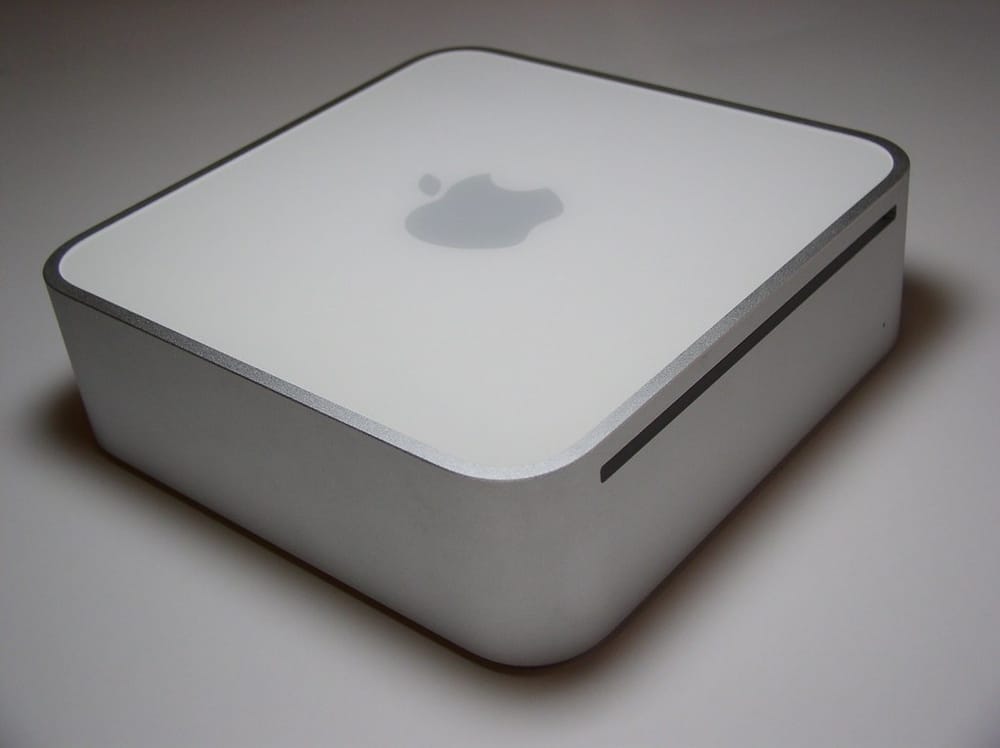
The Mac Mini M4 dominates conversations in local AI communities — including the community around OpenClaw, the open-source computer-use framework popular among local-AI enthusiasts. And rightly so: Apple Silicon combines impressive bandwidth with surprising energy efficiency (±30W under load).
The base version (16GB, €599) runs models like Gemma 3 9B, Phi-4 Mini, and Mistral 7B smoothly at 20–30 tok/s. For personal assistant tasks, summarizing, and light coding: more than enough.
The M4 Pro (48GB, ±€1,400) doubles the bandwidth and triples the memory — that opens the door to 30B-class models (Llama 3.3 32B, Gemma 3 27B, Qwen 3.5 27B) at 40–50 tok/s. At this level you have a serious local coding assistant.
Two pitfalls the community has repeatedly discovered:
First pitfall: Ollama via Docker. Docker bypasses Apple's Metal GPU entirely. Result: 3–5 tok/s instead of 20+. That's not an exaggeration — that's a five-to-tenfold loss for one wrong configuration choice. Use native installation.
Second pitfall: not knowing MLX exists. Apple's own inference framework is 15–30% faster than Ollama for the same models. The majority of users run Ollama out of habit and leave that speed on the table.
On Llama 4 Scout: Meta's 109B MoE model is technically fascinating — it activates only 17B parameters per token, making inference more compact than the model size suggests. But in Q4 format it needs 58+ GB of memory. The M4 Pro with 48GB is in the danger zone; with aggressive quantization via MLX it's marginally feasible, but the Mac Studio M4 Max is the practical minimum threshold. On consumer hardware, Llama 4 Scout is an aspiration model for now.
---
RTX 4070 laptop: fast until the cliff
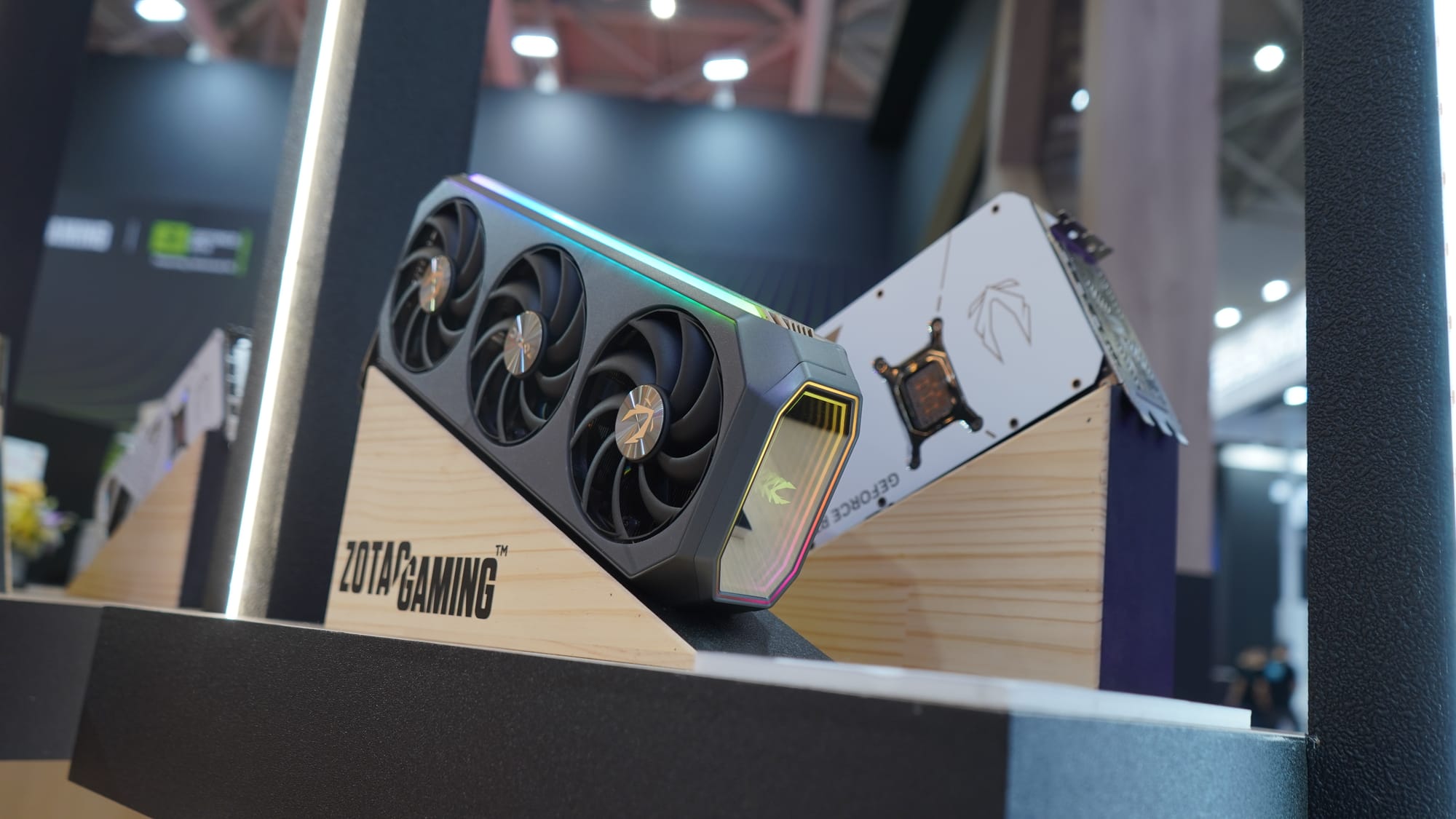
A laptop with an RTX 4070 is the other mainstream choice — and on its home turf it's fast. On 8B models you reach 52–68 tok/s. That's the highest speed mainstream consumer hardware offers for that format.
The problem isn't the speed. It's the limit.
VRAM limits aren't a slope — they're a cliff. Your model fits or it doesn't. There's no "slightly too large" — only works or doesn't, with a steep performance drop when you fall back to CPU offloading.
| Model | VRAM at Q4 | Fits in RTX 4070 (12GB)? |
|---|---|---|
| Phi-4 Mini (3.8B) Q8 | ~3.5 GB | ✅ Easily |
| Gemma 3 9B Q4 | ~6 GB | ✅ |
| Mistral 7B Q8 | ~7.5 GB | ✅ |
| 14B Q4 | ~8–9 GB | ✅ |
| 14B Q8 | ~12.5 GB | ⚠️ Just over |
| Mistral Small 3.1 (24B) Q4 | ~14 GB | ❌ |
| Llama 4 Scout Q4 | ~58 GB | ❌ Absolutely not |
Once you exceed 12GB, speed drops from 50+ tok/s to 5–15 tok/s. Not gradually. Abruptly. The 14B model in Q8 (12.5 GB) doesn't work; the 14B model in Q4 (8–9 GB) runs fine at 30–40 tok/s. Quantization choice here isn't a quality trade-off — it's a binary threshold.
NVIDIA's own TensorRT-LLM gets up to 40% more speed from the same hardware compared to llama.cpp. More complex to configure, but worth it for anyone doing heavy inference daily.
One note on energy: an RTX 4070 laptop draws 80–150W under load. At four hours of daily AI inference, that's €3–9 per month in electricity — relevant once you start comparing with cloud costs.
---
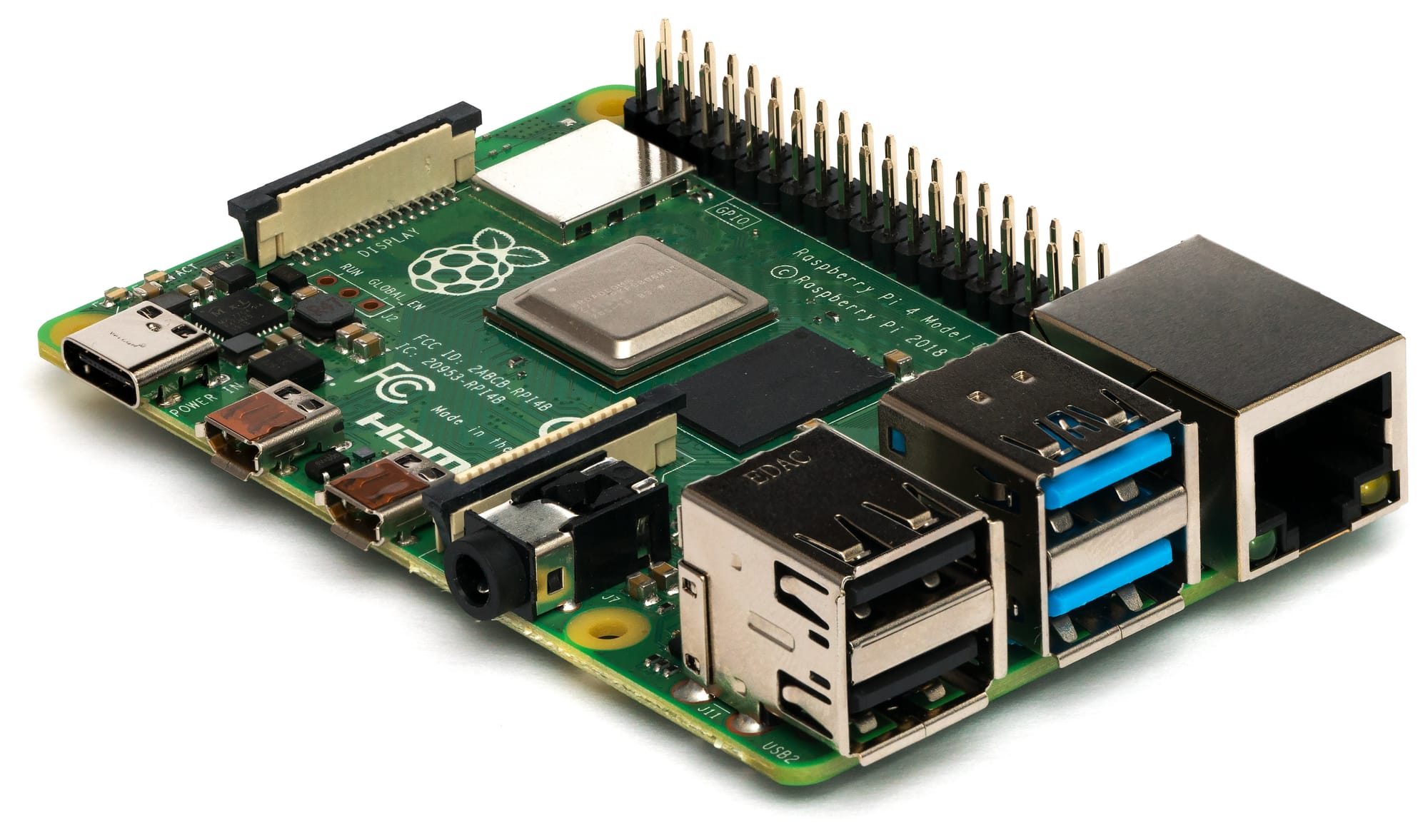
Raspberry Pi 5: the honest limiter
The Pi 5 with 8GB RAM does real inference. Not fast, but real.
Gemma 3 1B reaches 18–22 tok/s via Ollama. The 4B variant: 8–11 tok/s, "genuinely usable" for asynchronous tasks. Phi-4 Mini (3.8B) reaches 5–8 tok/s but delivers noticeably better quality for its size. With llama.cpp (instead of Ollama) and all four cores dedicated to inference (`-t 4`), you gain another 10–20%.
10 tok/s is the reference point. That's 7–8 words per second. For a real-time conversation that feels tight; for a private assistant processing a question while you make coffee, it's entirely acceptable.
The Pi 5 shines in a specific role: offline, private, low power (±10W, €0.50–1.00 per month). As a local assistant that never lets personal data leave the device — calendar, notes, simple questions — it does exactly what you ask.
OpenClaw perspective: The community explicitly does not recommend the Pi 5 for inference in computer-use tasks. Visual reasoning demands too much. The Pi 5 is there as a controller: executing lightweight code, orchestrating the ensemble, while heavier inference runs via cloud APIs. That's a pragmatic combination — and more honest than claiming the Pi 5 is a full-featured AI machine.
---
The quantization paradox
When people hear about Q4 and Q8 quantization, they think: Q8 is better, so choose Q8. Logical — but also too simple.
Quantization reduces the precision at which model weights are stored, and thus the memory footprint. Q4 takes 4 bits per parameter; Q8 takes 8. The quality loss measured in perplexity:
| Quantization | Quality loss | Practical effect |
|---|---|---|
| Q8_0 | <1% | Not noticeable |
| Q5_K_M | 2–3% | Barely noticeable |
| Q4_K_M | 3–5% | Noticeable in coding/reasoning |
| Q3_K | 8–12% | Noticeable across all tasks |
For everyday use — chatting, summarizing, writing — you won't notice the difference between Q4 and Q8. The 3–5% perplexity loss at Q4 doesn't translate to noticeably worse answers for routine tasks.
The real question the community now frames differently: not Q4 vs Q8 on the same model, but larger-model-Q4 vs smaller-model-Q8. Gemma 3 9B in Q4 uses 6GB VRAM and fits in the RTX 4070. Phi-4 Mini in Q8 uses 3.5GB. The 9B Q4 wins on virtually every benchmark, despite the lower precision — because larger models have fundamentally more capacity. Model scale compensates for quantization noise, up to the point where you fill the memory.
If you have VRAM or RAM limits (and you always do), load the largest model that fits in Q4 for generative tasks. Use Q8 only for coding and reasoning tasks where accuracy measurably matters — and only if it fits.
This is lesson two. Write it down: A larger Q4 model beats a smaller Q8.
---
When does local pay off?
This is the question that ties everything above together.
The cost math is bluntly in favor of local at any meaningful volume. Sustained local inference benchmarks — using a dedicated GPU running at capacity as an external reference point — come in around $0.0003 per million tokens in electricity. An RTX 4070 laptop at 80–150W used four hours daily will be higher per-token due to partial utilization, but still a small fraction of cloud pricing. OpenAI GPT-4.1: $2 per million tokens. Even accounting for real-world utilization patterns, local inference is 10 to 100 times cheaper.
With discounts, caching, and batch processing, frontier APIs get cheaper — but they remain 10 to 100 times more expensive than the cost of your own electricity. The break-even for a Mac Mini M4 versus $30 per month in API usage is ±20 months. Versus $200 per month: three months.
Privacy is the quiet deciding factor — and it's usually only mentioned when people are asked why they actually switched.
Every query sent to a cloud API leaves the machine. That's fine for recipes and different when it involves patient data, legal advice, or personal correspondence. Local inference means data doesn't leave the hardware — no exception, no logs, no training opt-out to click away.
For anyone running a personal AI assistant on a Pi: local inference for routine tasks means the assistant you use daily knows nothing about you that isn't on your own hardware.
This is lesson three. Write it down: Privacy is the reason, not the cost.
When cloud wins:
- Frontier quality is required. GPT-5, Claude Opus, Gemini Ultra — that quality isn't achievable locally. When the task demands it, cloud has the best models. - Sporadic use. If you use AI a few times a week, hardware depreciation dominates costs. Don't buy a Mac Mini for AI. - Multimodal tasks. Visual models are still weaker locally than text models — the overhead of visual encoders is substantial, and quality lags behind cloud alternatives. - Unpredictable peak load. Scaling out is trivial in the cloud; not so with a single machine.
When local wins:
- Privacy as a hard requirement — in every context, not as an afterthought. - High and predictable use. More than a few hours a day, the hardware investment pays off. - Offline operation. No dependency on internet or external services. - Tasks where open models are good enough — and that's a growing category.
The hybrid approach is what the community in 2026 considers consensus: local models for everything routine and private, cloud for frontier quality and complex tasks. Implemented consistently, this can cut API costs by an estimated 60–70% compared to all-cloud usage, based on reported hybrid usage patterns [Local vs Cloud AI Workloads 2026].
---
What you're actually doing
When deciding on local AI, ask three questions — and the answers determine your hardware, not the spec page.
First question: how much bandwidth does my RAM have? For Apple Silicon, this is the primary performance variable. More bandwidth means more tokens per second. More cores and higher clock speed help less than you'd expect.
Second question: how much VRAM or unified memory can you dedicate to the model? This determines which models run at all. The limit is hard. Know how much space you have and choose the largest model that fits — in Q4 if you want to scale up, in Q8 if precision matters and the space is there.
Third question: what don't you want to share with a data center? This is the question that justifies the hardware investment or doesn't. If the answer is "nothing special" — cloud is cheaper for occasional use. If the answer is "personal correspondence, medical data, legal texts, or on principle everything" — local inference isn't a technical novelty but a deliberate choice for control over your own data.
---
Three lessons as a summary
Bandwidth > chip generation. An M3 Max can be faster than an M4 Pro for LLM inference. Look at GB/s, not the number after the M.
Larger-Q4 beats smaller-Q8. Fill your available memory with the largest model that fits, in Q4 when VRAM is tight. The scaling law compensates for quantization noise.
Privacy is the deciding factor. Costs are calculable; privacy considerations aren't. Most people who switch to local inference cite costs as the reason and privacy as the real reason. That order is the reverse of what you'd expect.
The rest is hardware choice based on budget and use: a Pi for the edge, a Mac Mini for daily use with efficiency as priority, an RTX setup for speed within a hard VRAM limit. Each platform teaches you something different about what inference actually demands — and that may be the most useful lesson of all.
---
Sources
Raspberry Pi inference
- Gemma 3 on Raspberry Pi 5 — Benchmarks — concrete speed measurements for Gemma 3 models on Pi 5 hardware
- How well do LLMs perform on a Raspberry Pi 5? — comparative LLM performance analysis on the Pi 5
- Run LLMs on Raspberry Pi — Setup Guide 2026 — practical setup instructions for Pi-based inference
- llama.cpp on Raspberry Pi 5: Practical Optimization — threading and optimization for maximum Pi 5 throughput
Mac Mini and Apple Silicon
- Mac Mini LLM Performance in 2026 — benchmark overview for Mac Mini M4 and M4 Pro
- Mac Mini M4 for AI: Apple Silicon 2026 — in-depth analysis of the M4 platform for inference
- M4 Mac Mini's Efficiency Is Incredible — energy efficiency measurements under sustained AI load
- Llama 4 Scout on MLX — Apple Silicon Guide 2026 — feasibility and memory requirements for Llama 4 Scout on M4
- Hacker News: Mac Mini M4 for AI — community discussion on real-world Mac Mini AI performance
GPU and NVIDIA platform
- Ollama Docker GPU bypass issue — documented Metal GPU bypass in Docker; source for the 3–5 tok/s claim
- Local LLM Feasibility Study — cross-platform comparison including RTX 4070 performance data
- Home GPU LLM Leaderboard — community-maintained benchmark leaderboard for consumer GPUs
- LLM Inference Speed Comparison — inference speed measurements across GPU platforms
Quantization
- LLM Quantization Guide FP16/Q4/Q2 — technical breakdown of quantization formats and quality impact
- LLM Quantization Explained — accessible explanation of quantization tradeoffs
- Quantization: Q4 vs Q8 vs FP16 Explained — practical comparison of quantization levels for consumer hardware
Cost analysis and cloud vs. local
- Local LLMs vs Cloud API: Cost Analysis 2026 — break-even analysis and cost comparison for local vs. cloud inference
- Local vs Cloud AI Workloads 2026 — source for the 60–70% cost reduction estimate in hybrid setups
- Self-hosting LLMs vs Cloud APIs: Cost, Performance, Privacy 2026 — comprehensive comparison including privacy considerations
- Running Local LLMs in High-Cost Energy Markets — electricity cost analysis for local inference under unfavorable conditions
Models, benchmarks, and hardware guides
- Phi-4 Mini — Model Profile — model specifications and performance characteristics
- Llama 4 System Requirements — memory requirements for Llama 4 Scout in various quantization formats
- Benchmarking Local LLMs: Speed, Quality, Resource Usage (2026) — comprehensive benchmark dataset used throughout this article
- Best Hardware for OpenClaw in 2026 — community perspective on hardware choices for computer-use AI frameworks